Checkout Display Solutions: Maximize Impulse Sales at the Point of Sale | VIGO DISPLAY
In short:
- The checkout zone is roughly 5 percent of a supermarket's floor space and produces 15 to 25 percent of incremental impulse revenue.
- For a store running more than 1,000 transactions a day, checkout display is a lever on profit per transaction, not a cosmetic upgrade.
- Dividers and display stands do different jobs: dividers keep the belt and the queue orderly, displays sell.
- The fixtures that pay back fastest are the ones within arm's reach of a shopper who is already standing still.
Why the Checkout Area Drives More Revenue Per Square Foot Than Any Other Zone
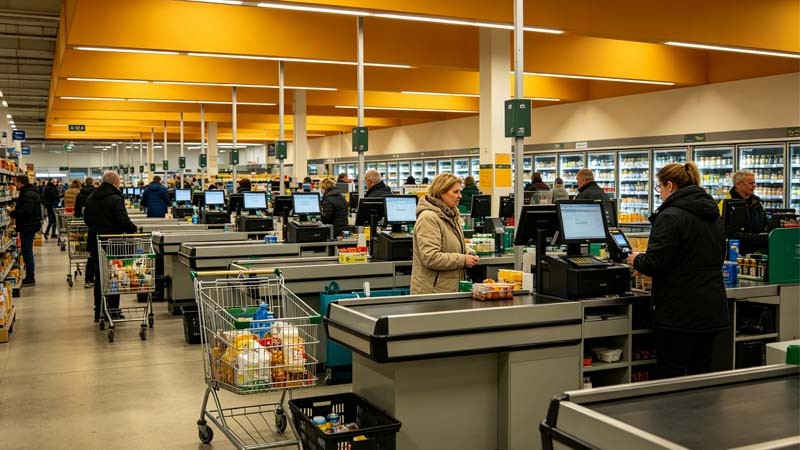
The checkout zone occupies roughly 5% of a typical supermarket's floor space — yet generates 15-25% of incremental impulse revenue. No other area converts square footage into sales at this rate. For a chain store processing 1,000+ transactions daily, checkout display optimization is not a cosmetic upgrade. It is a direct lever on profit per transaction.
This guide covers the psychology behind checkout purchases, the essential fixture types every store needs, the key differences between checkout dividers and display stands, and a practical framework for designing an efficient checkout zone. Each recommendation is based on real-world deployments across supermarket, convenience, and specialty retail chains.
The Psychology Behind Checkout Displays
Checkout impulse purchases are not random. They follow predictable behavioral patterns that effective display design exploits:
Decision Fatigue at Peak Vulnerability
After navigating 15-20 aisles and making dozens of product decisions, shoppers arrive at checkout with depleted cognitive resources. Small, low-risk items — gum, batteries, lip balm — require minimal mental effort. The brain defaults to "yes" when the decision is trivial and the item is visible. This is why 68% of checkout purchases are unplanned.
Wait Time Conversion
The average shopper spends 2-4 minutes waiting in the checkout queue. During this idle window, products at arm's reach become the only available stimulation. Studies show that well-stocked checkout displays increase transaction value by 12-18% compared to empty or poorly maintained lanes, because shoppers browse and add items simply to pass the time.
Proximity and Graspability
Products within 18 inches of the shopper's hands — on the countertop, at eye level on adjacent shelving, or on the checkout divider itself — are 3x more likely to be picked up than products 24+ inches away. This is the physical manifestation of impulse: reduce friction to zero, and conversion follows. Well-designed checkout fixtures position best-selling impulse items at exactly the right height and distance.
Best Practices for Checkout Counter Displays
Checkout display effectiveness is measurable. Chains that implement these practices consistently report 15-25% higher impulse sales per lane:
Product Tiers by Price Point
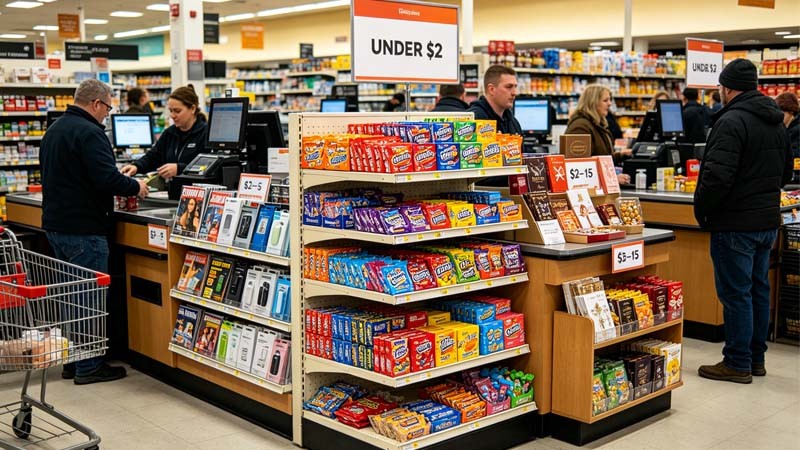
Structure checkout products in three tiers: under $2 (gum, candy, single-serve snacks) at waist level for easy grab, $2-5 (magazines, phone chargers, travel-sized toiletries) at eye level on adjacent shelving, and $5-15 (premium snacks, gift cards, seasonal items) on dedicated countertop stands. This tiered approach prevents shoppers from ignoring the display as "just cheap stuff" while maximizing revenue from each tier.
Seasonal Rotation Cycles
Rotate checkout display products every 4-6 weeks. Shoppers who visit the same store twice a week habituate to static displays within 3-4 visits. Seasonal rotations — summer beverages and sunscreen, back-to-school stationery, holiday gift items — maintain novelty and prevent the checkout zone from becoming invisible background noise. Shelf-communicating fixtures like sign stands and tabletop sign holders make rotation easy for store staff.
Visual Density Without Clutter
The optimal checkout display has enough product variety to trigger "I might need that" thoughts without overwhelming the shopper. Research suggests 8-12 distinct SKUs per lane, organized by category with clear separation. Overcrowding above 15 SKUs reduces conversion because shoppers stop scanning. Use checkout dividers with built-in product display panels to add merchandising surface without cluttering the counter.
Restocking Discipline
An empty or half-empty checkout display signals neglect and reduces impulse purchases by up to 40%. Implement a mandatory restocking checkpoint at shift change and a mid-shift top-up during peak hours (11 AM-1 PM and 5 PM-7 PM). Fixtures designed for quick reload — such as gravity-feed anti-theft pull boxes and front-loading countertop stands — cut restocking time by 50%.
Essential Checkout Fixtures: What Every Lane Needs
A fully equipped checkout lane requires four categories of fixtures. Each serves a distinct function:
Checkout Dividers and Lane Separators
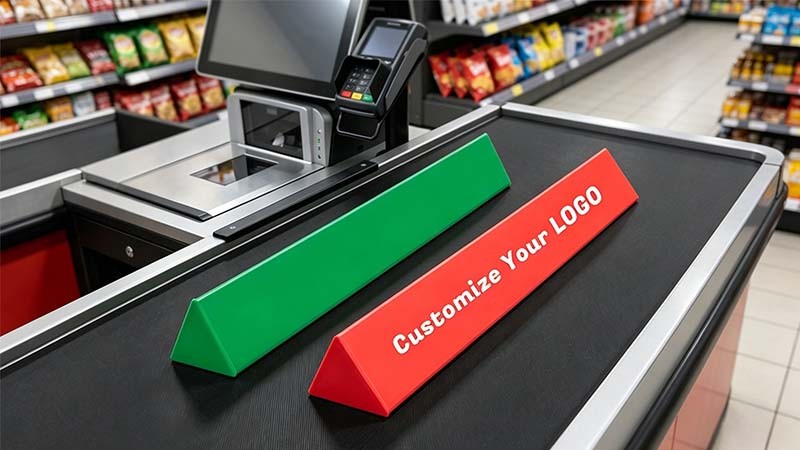
Checkout dividers do more than separate customer orders. The best dividers incorporate advertising panels on the front face, product display pockets on the side, and brand messaging zones that generate incremental advertising revenue. For chain stores, custom-branded dividers with store loyalty program QR codes turn a functional item into a customer engagement tool. Choose dividers with rounded corners and smooth edges — sharp dividers damage products and frustrate cashiers.
Countertop Display Stands
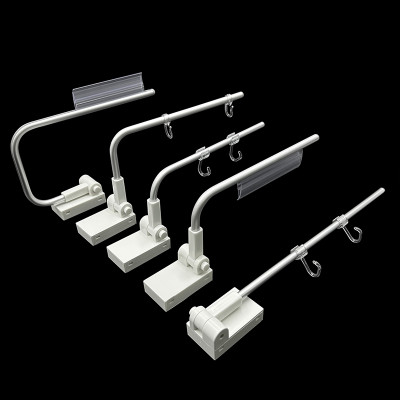
Countertop impulse fixtures hold 4-12 SKUs in a compact footprint. Acrylic and wire stands offer product visibility from all angles. Multi-tier rotating displays maximize SKU density without consuming counter space. For high-theft items like batteries and electronics, use lockable acrylic cases or anti-theft pull boxes that dispense one unit at a time while keeping inventory secure. Position these stands 12-18 inches from the payment terminal for maximum shopper interaction time.
Point-of-Sale Signage
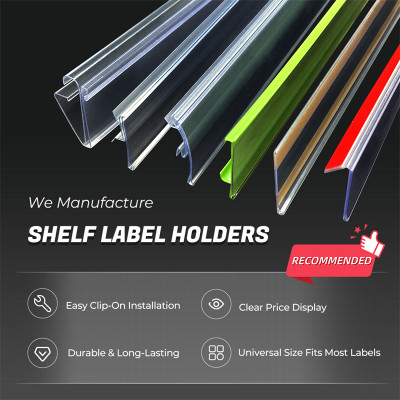
Sign stands and tabletop sign holders communicate promotions, loyalty program details, and payment options without cashier intervention. Clear acrylic sign holders present information at the precise moment shoppers are looking at the counter. Digital screen mounts are gaining adoption for dynamic content, but physical sign holders remain essential for static information like return policies, accepted payment methods, and store hours that must always be visible.
Cash Handling and Security Accessories
Coin trays keep cash organized and speed up transactions. Stop locks prevent display hooks from being emptied in a single grab — a simple device that reduces theft of small items by 60-80%. These accessories seem minor, but in a chain with 100 lanes, a 5-second reduction in cash-handling time per transaction saves 14 labor hours per day.
Checkout Dividers vs Checkout Displays: Know the Difference
Procurement teams often conflate checkout dividers and checkout displays. They serve different purposes and require different specifications:
Checkout Dividers
- Primary function: Separate customer orders on the conveyor belt
- Secondary function: Advertising panel, brand messaging, loyalty program promotion
- Material: Durable ABS plastic or acrylic; must withstand thousands of daily slides
- Key specs: Smooth bottom surface (no scratching), rounded corners, lightweight (under 200g)
- Customization: Color matching to store branding; logo printing on front and back faces
- Quantity per lane: Typically 2-3 dividers
- Replacement cycle: 12-18 months with heavy use
Checkout Displays
- Primary function: Merchandise and sell products at the point of sale
- Secondary function: Organize impulse items, deter theft, maximize SKU density
- Material: Acrylic, wire, metal, or corrugated depending on permanence and budget
- Key specs: Load capacity, stability, product visibility from multiple angles
- Customization: Branded headers, custom shelf configurations, lockable options
- Quantity per lane: 3-6 display units depending on counter width
- Replacement cycle: 2-5 years for permanent fixtures; 3-6 months for promotional corrugated
How to Design an Efficient Checkout Zone Layout
Checkout zone design is constrained by store architecture, but four principles apply universally. Use them as an audit checklist for your current layout:
Queue Depth Dictates Display Strategy
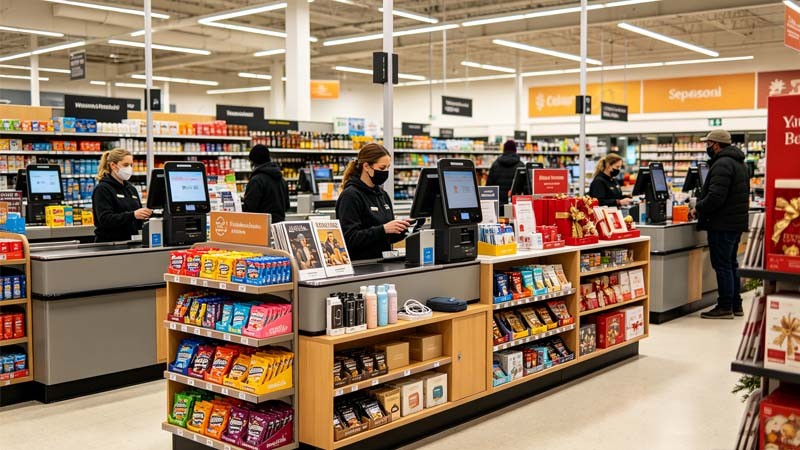
For checkout lanes with 3+ shoppers queuing at peak times: place impulse displays along the queue rail where shoppers stand, not just at the counter. Wall-mounted shelving or freestanding floor displays along the queue path capture browsing during the full wait, not just the final 30 seconds at the register. For express lanes with short queues: concentrate displays on and immediately around the counter.
Cashier Reach Zone Optimization
Place high-volume impulse items within 24 inches of the cashier's seated position. Items the cashier can scan without standing or stretching reduce transaction time by 3-5 seconds per item. Reserve counter ends for larger items that shoppers self-serve. Position coin trays and payment terminals on the cashier's dominant-hand side for fastest processing.
Aisle Width and Accessibility
Maintain minimum 36-inch clearance between the checkout counter back edge and any rear wall or adjacent lane. This allows staff to restock without blocking the lane and provides wheelchair accessibility. For stores in ADA-compliant jurisdictions, verify that counter height and reach range meet local regulations — our checkout fixtures can be manufactured to specified dimensions for any market.
Security Integration Without Customer Friction
For high-theft impulse categories: use lockable acrylic cases that allow product visibility but require cashier assistance to access. Stop locks on display hooks reduce grab-and-run theft of hanging items. Position these security fixtures so they are visible to deter theft but do not obstruct the shopper's view of available products. Visible security that does not slow down transactions is the goal.
Checkout Display ROI: The Numbers That Matter
Here is what chain store operators should track to measure checkout display performance:
| Metric | Industry Baseline | Optimized Target | Measurement Method |
|---|---|---|---|
| Impulse revenue per transaction | $0.80-$1.20 | $1.50-$2.50 | POS data filtered by checkout-lane SKU category |
| Checkout SKU sell-through rate (weekly) | 40-60% | 70-85% | Inventory data: units sold / units stocked per lane |
| Average checkout display restock frequency | 1x per day | 2-3x per day (peak coverage) | Staff restocking log or inventory system timestamp |
| Checkout zone conversion rate | 8-12% of transactions | 18-25% of transactions | % of receipts that include at least 1 checkout SKU |
| Transaction time impact from checkout displays | +3-5 seconds | +0-2 seconds | Time-motion study comparing lanes with/without optimized displays |
Chains that track these five metrics and optimize against them report that checkout display improvements pay for themselves within 3-6 months through increased impulse revenue alone — before accounting for labor savings from faster restocking and reduced shrinkage.
Upgrade Your Checkout Zone
Checkout optimization is one of the fastest-ROI projects a retail chain can undertake. The fixtures are relatively low-cost, the installation is simple, and the revenue impact is immediate and measurable.
VIGO DISPLAY supplies checkout dividers, countertop display stands, sign holders, anti-theft pull boxes, coin trays, and stop locks to retail chains in 50+ countries. All products are available with custom colors and logo printing. Bulk pricing applies to chain-wide deployments.
Get a Custom Checkout Solution for Your Stores
Send us your lane dimensions and product categories. We will return a recommended fixture layout, product specifications, and bulk pricing within 24 hours.
Get a Free Quote